Used by 55+ organisations in 9 countries, with 1,800+ users
Every attendee understandsin their own language
in their own languageno seu próprio idiomaen su propio idioma각자의 언어로用他们自己的语言dans leur propre langueبلغتهم الخاصةउनकी अपनी भाषा मेंבשפה שלהםїхньою рідною мовоюστη δική τους γλώσσαdalam bahasa mereka sendiriin ihrer eigenen Sprachenella loro linguaそれぞれの言葉でна их родном языкеด้วยภาษาของพวกเขาเองbằng ngôn ngữ của họsa kanilang sariling wika
Live translation for conferences, corporate meetings and public events. Attendees scan a QR code and follow every speaker in their own language, as captions or spoken audio. No app, no interpreter booths, no headsets to hire.Attendees scan a QR code and follow every speaker live in their own language, on their own phone. No app.
55+ organisations in 9 countries use Translate Events. 1,800+ users so far.
55+
Organisations
Using Translate Events for their live events
9
Countries
Where those organisations are
35
Languages used
Chosen by attendees so far
450+
Live sessions translated
Sessions with live translation
1,000+
Hours of live translation
Since our first session in early 2026
1,800+
Users
Guests and registered users who followed a session in their own language
Where Translate Events is used
Organisations by country
Australia 30Brazil 11United States 8New Zealand 2United Kingdom 2South Korea 1Argentina 1Ireland 1Portugal 1
Languages people listen in
Top 8 of 35, by attendees who joined
English1,352
Portuguese648
Spanish312
Chinese132
Korean96
Arabic80
French40
Japanese17
Plus 27 more.
More than half of attendees choose a language other than English.
In short
What is Translate Events?
Translate Events is a live translation service for conferences, corporate meetings, town halls, trade shows, training, webinars, and government and public events. It turns what a speaker says into live captions and spoken translation, so every attendee follows in their own language on their own phone, with no app to install.
Conferences, corporate meetings, town halls, trade shows, training, webinars, and government and public events
How attendees join
Scan a QR code or open a link in the phone browser. No app, and no account for guests.
Languages
60 languages in, up to 73 languages out, 61 with a spoken voice
Delay
Captions follow the speaker about a second or two behind.
Equipment
One device with audio and an internet connection. No servers, no booths, no headsets to hire.
Cost
Free at this stage. Join the beta and we set it up with you.
Last updated
Who it is for
Who is Translate Events for?
1
Conferences and trade shows
Keynotes, breakouts and exhibitor talks for an international audience. Delegates pick their language on their phone and follow every session.
2
Corporate meetings and town halls
All-hands, board and team meetings with colleagues in many countries. Everyone follows in their first language, in the room or at another site.
3
Training and webinars
Courses, onboarding and webinars for learners who speak different languages. Captions help people follow technical terms and re-read a line they missed.
4
Government and public events
Council meetings, public briefings and community events that need to reach residents in many languages. Live captions also help people who are deaf or hard of hearing.
Ready before your event. No new equipment.
How does Translate Events work?
01
Connect your audio
Plug a laptop, tablet or phone into your mixing desk, or use its microphone. It only needs audio and an internet connection.
02
Share the QR code
Show it on the stage screen, print it on badges, agendas and signs, or send the link with the invitation. Attendees scan it with their own phone and data, so they do not need the venue Wi-Fi.
03
Everyone understands
Each attendee picks a language, then reads captions or listens to the translation on their own phone.
Accessibility
Translate Events is more than translation.
It also helps people who are deaf, hard of hearing or older. Everyone can follow the whole session, at their own pace, on their own phone.
CC
Deaf and hard of hearing
Live captions of everything that is said, in large text that is easy to read. They can follow the whole session as it happens.
Aa
Text in the size you need
Make the text bigger or smaller to suit your eyes. Hold the phone as close as you like.
Follow at your own pace
Missed a line? Scroll back to read it again.
Headphones and listening systems
The audio plays on their phone, so they can use headphones. An organiser can also plug the audio output of a computer or phone into any assistive listening system or transmitter to send it to other devices.
What you get
Built for conferences, meetings and live events.
Many languages at once
Portuguese, Spanish, Mandarin, Arabic, Hindi, Japanese and more. Several languages can run in the same session.
Read or listen
Live captions, or a spoken translation through headphones. Attendees can switch whenever they like.
Join with a QR code or link
Works in any phone browser. No app, and no account needed for guests.
Prepare with your own terms
Upload your agenda, speaker notes or glossary ahead of time so names, products and technical terms come out right.
A summary after every session
Hosts get a report with attendance, languages used and a summary of what was said, written with Claude.
Your brand, your dashboard
Add your logo and colours, see who is connected in real time, and manage your hosts from one dashboard.
Languages
Which languages does Translate Events support?
Your speaker can speak in any of 60 languages. Attendees follow in up to 73 languages: live captions in all of them and a spoken voice in 61.
Captions and spoken voice
Afrikaans
Albanian
Arabic
Azerbaijani
Bangla
Basque
Belarusian
Bosnian
Bulgarian
Catalan
Chinese
Croatian
Czech
Danish
Dutch
English
Estonian
Filipino
Finnish
French
Galician
German
Greek
Gujarati
Hebrew
Hindi
Hungarian
Icelandic
Indonesian
Italian
Japanese
Kannada
Kazakh
Korean
Latvian
Lithuanian
Macedonian
Malay
Malayalam
Marathi
Norwegian
Persian
Polish
Portuguese
Punjabi
Romanian
Russian
Serbian
Slovak
Slovenian
Spanish
Swahili
Swedish
Tamil
Telugu
Thai
Turkish
Ukrainian
Urdu
Vietnamese
Welsh
Captions only
Amharic
Armenian
Georgian
Haitian Creole
Hausa
Irish
Maltese
Mongolian
Pashto
Sinhala
Somali
Uzbek
Pricing
How much does Translate Events cost?
Translate Events is free at this stage. Join the beta and we will talk you through pricing for your events before anything changes.
Our team will contact you, set up your organisation, test your sound and stay with you for your first event. No credit card.
It sits next to your sound and streaming setup, so you can start, manage and caption a session without a browser tab, and it can send captions to OBS for your live stream. Only hosts install it.
Translate Events was founded in 2025 in Sydney, Australia, by the team behind Faithly. Meet the two people who started it.
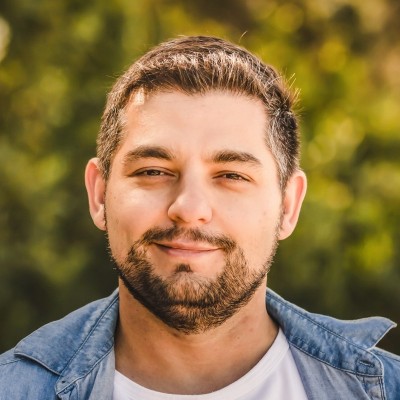
Matheus Canela
Founder
Matheus is the founder of Translate Events and Faithly. He is a solutions architect in Sydney with more than seven years of experience helping organisations design and run cloud solutions. Earlier in his career he built transport and driver-management systems.
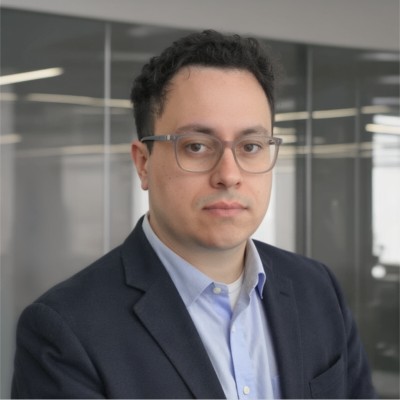
Daniel is a co-founder of Translate Events and Faithly, and a postdoctoral research associate at a university in Sydney, where he works on vibration and acoustics. He helps make live translation clear for every listener in the room.
Join the beta. We will contact you, set it up with you and stay for your first event. It is free at this stage.
How do attendees join?
They scan the QR code or open the link, pick a language and start reading or listening in their phone browser. No app, and no account for guests. It works on iPhone, Android, tablets and laptops.
What equipment and internet do we need?
One device with audio and an internet connection. Translate Events runs in the cloud, so there are no servers or booths to set up. Each attendee uses their own connection, so nobody has to join the venue Wi-Fi, and it uses much less data than a video stream, but the host connection needs to be steady.
Can we connect to the room's mixing desk?
Yes. The host picks any audio input the computer lists, such as the mixing desk feed or a microphone, and can use the left channel, the right channel or both. A direct desk feed gives the best result.
Can we share the venue Wi-Fi details with attendees?
Yes. The organiser can add a Wi-Fi name and password to the venue or session, and attendees see it in the viewer. Attendees do not have to use it, because each person can use their own connection.
Events and sessions
Can remote attendees follow a hybrid event?
Yes. Anyone with the session link or code can follow in a web browser from any place and choose their own language. Streaming platforms delay the video (the stream buffer), so remote attendees can delay captions and audio by 0, 3, 5, 10, 15 or 20 seconds to match it. To put the captions inside your live stream, Translate Events supports OBS through the app.
How long can one session run?
Up to 12 hours. Viewers are warned 15 minutes before the limit. A session also ends after 60 minutes of silence or with no host connected.
Can we show captions on the main stage screen?
Yes. The host opens the big-screen page on the screen computer, or any viewer can use full-screen TV mode, with adjustable text size, number of lines and Dark, Light or Projector themes.
Can we use the captions with OBS for a live stream?
Yes. The Translate Events desktop app can send live captions to OBS as a browser source, so you can add them to your live stream, with their own size, lines and position. Attendees in the room still follow on their own phones.
Languages and accuracy
Which languages does Translate Events support?
Your speaker can speak in any of 60 languages. Your attendees can read live captions in up to 73 languages, and 61 of them also have a spoken voice. Several languages can run in the same session.
How accurate is the translation?
Very good for spoken content such as keynotes, presentations and meetings. Upload your agenda, speaker notes or glossary before the event so names, products and technical terms come out right. In our tests the AI is pretty good at separating music and noise from speech, although heavy background noise and overlapping speakers are still harder than clear speech. A direct feed from the mixing desk always gives the best result.
How do we make product names and acronyms come out right?
Upload your agenda, notes or glossary before the event: PDF, Word, text, Markdown, HTML or image files up to 750 KB, plus term lists and fixed translations for names.
How long is the delay?
Captions follow the speaker about a second or two behind. The host can tune the speed, and online viewers can add a delay to match a video stream.
Accessibility and confidentiality
Can attendees read or listen, and does it help people who are deaf or hard of hearing?
Both. Attendees can read live captions in large text, or listen to a spoken translation on their phone with headphones, and switch whenever they like. An organiser can also plug the audio output of a computer or phone into any assistive listening system or transmitter to send it to other devices. Captions let people who are deaf or hard of hearing follow the whole session.
Who can follow our session, and is it confidential?
Anyone who has the session code, QR code or link can follow it, so share them only with your attendees. A venue can be set to unlisted, which keeps its sessions out of public listings but not away from people who have the link. If your event is confidential, tell us when you join the beta.
Reports and branding
Do we get a report after the event?
Yes. Hosts get a report with attendance, languages used and a summary. The host can edit the transcription and summary, choose recipients, then approve and send it.
Can we add our logo and colours?
Yes. The organiser adds a logo and colours to its venue page.